

WhatsApp business automation
Your customers already use WhatsApp.
Connect it to the rest of your business.
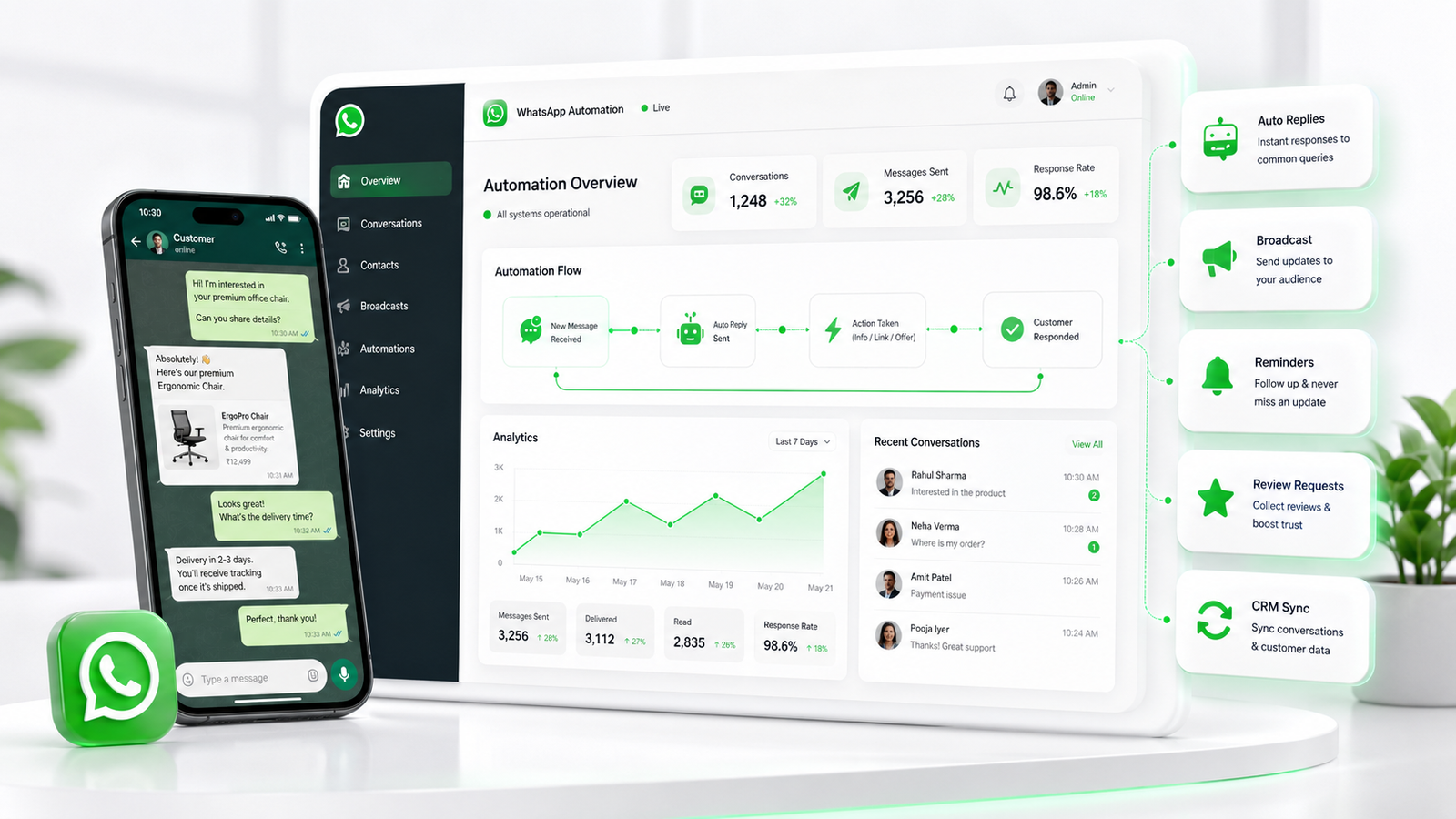
Manage customer conversations, run targeted campaigns, automate enquiries and reminders, connect WhatsApp with CRM and business systems — and let your team take over whenever a human conversation matters.
"Hi, I need your pricing."
10:30All five fire from the same message — nothing typed by your team.
Then
One message can start an entire business journey.
The WhatsApp Business Platform is the communication channel. Filari provides the management, automation, CRM, AI and workflow layer around it.
Before vs connected WhatsApp
Same WhatsApp. A much better business process.
Same number, same customers — a different operating process behind them.
Before
[02 BEFORE MANUAL WHATSAPP]
After Filari
The conversation stays personal.
The process stops being manual.
[03 AFTER CONNECTED WHATSAPP]
WhatsApp is the channel, not the databaseOrders, appointments, payments and customer records stay in the business system that owns them. WhatsApp informs, collects and notifies — it is never the source of truth for critical business data.
Product overview
One platform around the complete WhatsApp journey.
Eight layers. Start with the one you need, and add the rest as conversation volume grows.
Shared team inbox
Customers see one business. Your team gets an organised workspace.
Queues
Conversation
"Payment का issue है."
[04 SHARED TEAM INBOX] · concept UI, sample conversation
Ticket, when useful
[05 SUPPORT TICKET]
Not every conversation becomes a ticket. Tickets are for issues that need structured tracking, SLA and escalation.
Campaigns & broadcasts
Send the right message to the right audience.
Relevant messages beat more messages — so the audience comes before the copy.
Campaign builder
DraftCarousel, product experiences and WhatsApp Flows depend on Meta capability, region, account, template and provider setup — never promised on every account. [06 CAMPAIGN BUILDER]
Scheduled
[08 CAMPAIGN SCHEDULER]
Don't broadcast everything to everyone
Segments come from tags, attributes and real behaviour — not a re-uploaded Excel sheet each time. [07 AUDIENCE SEGMENTATION]
Campaign funnel
[09 CAMPAIGN ANALYTICS] · sample dataSample data. Filari does not promise industry-wide open or click rates — delivery and read counts depend on your audience, template quality and account standing.
Click-to-WhatsApp
Don't lose the marketing context when the chat starts.
The ad that produced the conversation should still be attached to the lead a month later.
Tracked where the platform technically makes it available. [10 CLICK-TO-WHATSAPP JOURNEY]
"Hi, I'm interested in the Healthcare Website package."
WhatsApp automation builder
If this happens, what should happen next?
One trigger, one condition, and two paths that rejoin — because a returning customer and a first-time enquiry should not be treated the same way.
Flow active
[11 AUTOMATION BUILDER] · concept UIExisting customer path
New enquiry path
Shared journey
Both paths rejoin — one record either way
Triggers
Actions
Flows, reminders & follow-ups
Complete simple tasks without turning the chat into 20 questions.
WhatsApp Flows
Structured in-chat experiences where the platform supports them. [12 WHATSAPP FLOW]
Reminders that come from the workflow
Not from someone's memory. [13 REMINDER TIMELINE]
Acknowledgements
"Thanks, Rahul. We've received your request."
Useful, specific, short — not robotic. [14 ACKNOWLEDGEMENT]
Follow-up that knows when to stop
No endless automated chasing. [15 FOLLOW-UP FLOW]
Drip journeys — opted-in leads only
For long-consideration purchases: course leads, property leads, travel enquiries, professional services and B2B. If the lead converts, the journey exits.
Respects messaging policy and recorded consent. [16 DRIP CAMPAIGN]
AI-assisted conversations
Let AI handle the routine.
Let people handle what needs judgement.
The conversation
"Do you build ecommerce apps?"
"Yes — for iOS and Android, with payments and an admin panel."
"What’s the approximate budget?"
Approved pricing guidance from the service catalogue
"I need integration with our SAP, warehouses and 3 marketplaces."
Complex requirement detected
"Let me bring in our team." → Sales
[17 AI BUSINESS AGENT] · [18 HUMAN HANDOFF]
Grounded in approved knowledge
AI must never invent
Price
Stock
Payment status
Order status
Appointment status
Discount
Refund
Business policy
Each of these comes from the authorised system. If the data is unavailable, AI says so.
Automation should know when to stop automating
Triggered by "talk to a person", or when AI detects something complex, sensitive, high-value, a complaint, or its own low confidence.
The agent receives all five before they reply — no "so what were you asking about?"
CRM & customer sync
Conversation in WhatsApp. Context in CRM.
The record builds behind the chat
[19 WHATSAPP + CRM LIVE SYNC] · nobody re-typed any of it
Customer 360°
Records are matched, not duplicated. [20 CUSTOMER 360]
Commerce, payments & bookings
Answer "where is my order?" before the customer has to ask.
Buying journey
[21 ECOMMERCE PRODUCT CHAT] · [24 PAYMENT]
Order stages
Each configured stage can trigger a useful update. [23 ORDER TRACKING]
Abandoned cart
[22 ABANDONED CART]
Bookings
Healthcare, travel, consultation, classes, salon, property visits. [25 BOOKING]
Payment truthPAYMENT SUCCESSFUL is never shown until the authorised payment provider or webhook confirms it. Payment link, QR, UPI and native in-chat experiences depend on provider, account and region.
Review requests
No fabricated reviews, no rewards for positive ratings only, and no gating that sends just happy customers to public review pages. [26 REVIEW REQUEST]
Retention journeys
Only to appropriately opted-in customers, and only within current WhatsApp rules.
Templates, consent & the customer's inbox
Reach the right audience. Respect the customer's inbox.
Campaigns without becoming spam — which is a product requirement, not an afterthought.
Template manager
[28 TEMPLATE MANAGER]
Consent & opt-out
Future promotional campaigns exclude opted-out contacts automatically. [27 PROMOTIONAL CAMPAIGN]
What we will not write
Business-initiated messages outside the active customer-service conversation window generally require approved templates. Users remain in control of business chats — they can stop the communication and give feedback, and platform pricing and rules can change.
Team operations, mobile & the dashboard
Everything the team and the owner need to see.
Today
[33 MAIN BUSINESS DASHBOARD] · sample data
Multi-agent sales & support
[29 TEAM INBOX]
Agent performance
Metrics exist to improve service and spread load — not to become surveillance. [30 AGENT ANALYTICS]
New enquiry
[34 LIVE AUTOMATION MONITOR]
Mobile management
Monitor the inbox, view and answer conversations, assign, check campaigns, open a customer, review alerts and see analytics — from a phone.
Available per the selected plan and each user's permissions.
Dashboard
Inbox
Campaigns
Customer
Industry simulations
Same WhatsApp. Different business journeys.
The first message changes — and so does every step the workflow takes after it.
"Price?"
"Doctor available?"
"Course fee?"
"Bali package चाहिए."
"3BHK Gurgaon में चाहिए."
"GST consultation चाहिए."
"Pump specification भेजो."
Your industry
Not on this list?
Tell us the first question your customers ask on WhatsApp, and we will map what should happen after it.
Connect your business systems
Don't build WhatsApp as another data island.
01
Website
forms & click-to-chat
02
CRM
customer context
03
Filari WhatsApp layer
management & automation
04
AI
grounded answers
05
Booking · order · LMS · ERP
the systems that own the data
[41 INTEGRATION MAP] · the business system stays the source of truth; WhatsApp is the channel
Possible integrations
No specific integration is promised until API access and feasibility are verified.
APIs & webhooks
[42 API / WEBHOOK VISUAL]
Three routes out of one channel
Routine question
AI
Structured task
Automation
Complex requirement
Human
All three write the appropriate business activity back to the CRM or source system.
AI when helpful. Automation when predictable.
People when it matters.
[43 AI + AUTOMATION + HUMAN]
Product levels
Start with the layer you need. Add more as conversation volume grows.
[44 PRODUCT LEVELS] · most businesses start at level 1 or 2
Starter
Pricing to be finalised
Growth
Pricing to be finalised
Pro
Pricing to be finalised
Enterprise
Pricing to be finalised
Commercial clarity
WhatsApp automation is not automatically included with website development.
Basic WhatsApp button
May be part of a website project scope.
Advanced WhatsApp automation
A separate product and service.
Filari platform subscription
Per the selected plan.
Meta / WhatsApp platform charges
Billed separately by the platform or BSP.
AI usage
Model and API charges apply separately.
Third-party services
Payment, telephony and other providers charge separately.
Custom integration
Scoped and quoted on its own.
Your data
You own your business and customer data.
Platform rules
WhatsApp pricing and messaging rules can change.
Pricing depends on conversation volume, numbers, agents, automation depth, CRM integration and AI usage.
Why Filari
We don't start with a chatbot. We start with the customer journey.
Business process first
Understand what happens before and after the message.
CRM connected
Keep the customer context where it belongs.
Automation with purpose
Automate real repetitive work, not everything.
AI with business data
Answers grounded in approved information.
Human control
Your team can intervene at any point.
Industry workflows
Different businesses need different journeys.
Growth + support together
Campaigns and customer service can live in one inbox.
Honest scope
What is included, what is extra, and what the platform charges.
Questions
What businesses ask about WhatsApp automation.
Twenty answers on team inbox, campaigns, consent, Flows, AI limits, CRM, payments, integrations and what the platform charges.
01What is WhatsApp Business Automation?
It connects WhatsApp conversations with workflows such as lead capture, acknowledgements, bookings, reminders, campaigns, support, CRM updates and business-system actions.
02Can multiple employees manage one WhatsApp number?
Yes. An appropriate WhatsApp Business Platform and team-inbox setup allows several authorised agents to handle customer conversations, with assignment, queues and ownership.
03Can we send promotional campaigns on WhatsApp?
Yes, subject to current business messaging, template, consent, quality and account rules — and only to appropriately opted-in audiences.
04Can WhatsApp campaigns be segmented?
Yes, using configured customer attributes, tags, interests, purchase history and other authorised business data.
05Can campaigns be scheduled?
Yes, depending on the selected Filari configuration and current WhatsApp platform capabilities.
06Can WhatsApp automatically answer customer questions?
Yes. Rule-based chatbots or an AI agent can answer approved common questions and route anything complex to a person.
07Can WhatsApp collect forms?
Structured WhatsApp Flows can support appointment booking, lead forms and similar journeys where the platform supports them.
08Can WhatsApp conversations go into CRM?
Yes. Relevant customer and conversation activity can be synchronised with CRM through an appropriate integration.
09Can WhatsApp send appointment reminders?
Yes — triggered by the real appointment record rather than by someone remembering.
10Can it send payment reminders?
Yes, when connected to the relevant payment or business system through a compliant messaging workflow.
11Can customers make payments?
Payment links, QR and supported in-chat payment experiences can be integrated according to provider, account, region and business requirements.
12Can WhatsApp manage support tickets?
A conversation can become a ticket where structured issue tracking helps. Not every conversation should become one.
13Can customers receive order updates?
Yes. Order confirmation, payment, packing, shipping and delivery events can each trigger a configured update.
14Can review requests be automated?
Yes, after a configured completion, delivery or service event — sent to every customer, not only the happy ones.
15Can we use AI?
Yes. AI can support FAQs, qualification, recommendation, summarisation and routing using approved business data.
16Will AI replace our customer-support team?
No. Filari recommends human handoff for complex, sensitive, uncertain or high-value conversations, with the full context attached.
17Can Filari connect our existing CRM?
Potentially. It depends on that CRM’s APIs and permissions, which we verify before promising anything.
18Is WhatsApp Automation included with website development?
No. A basic WhatsApp contact button may be part of a website project. Advanced platform integration, campaigns, AI, CRM sync and workflow automation are separately scoped.
19Are WhatsApp messaging charges included?
Not automatically. Meta/WhatsApp, BSP or provider and other third-party charges may apply separately.
20Do you guarantee campaign open rates or replies?
No. Delivery and engagement depend on your audience, template quality, consent, relevance and account standing. Every figure on this page is sample data.
Turn conversations into connected business journeys
WhatsApp is already where customers talk.
Connect it to what your business does next.
Start with a shared team inbox, campaigns, reminders or one automation. Then connect CRM, AI and deeper business workflows as your requirements grow.
Message. Understand. Act. Follow up.
All connected.
One channel, eight connections
Next action
Follow up tomorrow · 11:00 AM
[45 FINAL CONNECTED SYSTEM]